


When I started building the Kaci Help app, my mind was never just on creating another mobile application. For me, Kaci has always been about people, about helping communities, about giving voice to the voiceless, and about creating bridges between individuals and the institutions that govern or serve them. Over time, as I reflected on what makes an app truly impactful, I realized that it is not just the features we put into it, but also how people can shape it through their opinions, ideas, and feedback. That is why the Suggestion and Feedback feature was born.
In this article, I will walk you through why I personally value this feature, how it works, and why I believe it can help turn ordinary ideas into extraordinary impact, both for governments and organizations, and for Kaci itself. I will also share how you, as a user, can make the most of it.
Why Suggestions and Feedback Matter to Me Personally
I have always believed that listening is more powerful than speaking. Over the years, I have learned that the best ideas are not always the ones we think of ourselves, but often the ones that come from those experiencing the real problem.
Personally, I enjoy and value people’s opinions. I don’t see feedback as criticism; I see it as an opportunity to learn, improve, and grow. When someone takes the time to point out what can be better, it means they care. That’s the same spirit I carried into building this feature on Kaci Help.
I wanted users to feel that their opinions matter, whether they are giving feedback directly to us at Kaci or suggesting solutions to government agencies and organizations. In a country like Nigeria, where many citizens often feel like their voices go unheard, I wanted Kaci to be a space where people could safely speak, propose, and even challenge the status quo.
Breaking It Down: Suggestion vs Feedback
At the heart of this feature, there are two distinct parts:
-
Suggestions: These are targeted toward organizations, government bodies, and MDAs (Ministries, Departments, and Agencies). The goal here is not just to complain, but to propose solutions. Imagine being able to tell a local government authority that a certain road is in bad shape, but also suggesting how they could fix it better. That’s the spirit of Suggestions on Kaci.
-
Feedback: This is aimed at us at Kaci Help. It’s your chance as a user to tell us what you love about the app, what frustrates you, or what features you would like to see added. To me, feedback is like a compass that keeps us heading in the right direction.
By separating these two, Kaci ensures that users know where their voice is going, whether to influence governance and institutions or to shape the app itself.
How Suggestions Work Step by Step
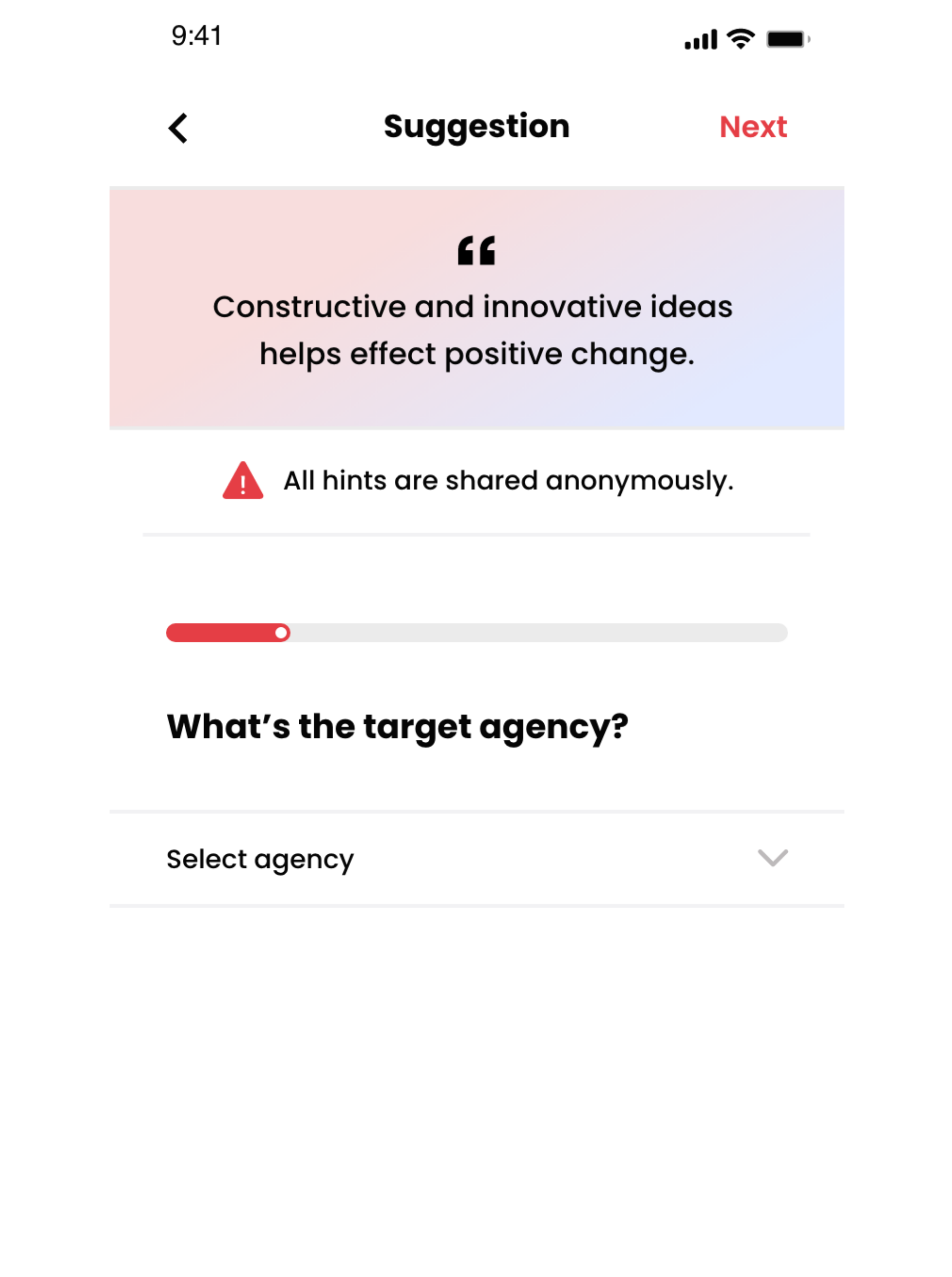
I wanted the Suggestion process to be simple, structured, and powerful. Here’s how it flows inside the app:
-
On the Home Page, click on the Suggestion button.
This takes you into a guided process that ensures your thoughts are clear and impactful. -
“What’s the target agency?”
Here, you select the location of where the agency is, and then the agency itself. This ensures that your suggestion is properly directed. -
“Please provide a detailed problem statement.”
This is where you describe the issue in detail. For example: “The drainage in XYZ area is blocked and causing flooding.” -
“What is your suggestion for improving the situation?”
Instead of just highlighting the problem, you now propose a solution. Maybe it’s better drainage maintenance, new equipment, or community awareness. -
“What is your desired outcome?”
Every suggestion must have a goal. Do you want the flooding stopped? Do you want roads repaired? Do you want an agency to respond faster? This box ensures your aim is clear. -
“Do you have a file to attach?” (Optional)
Users can upload images, videos, files, or even record new evidence. This makes your case stronger. -
Submit.
Once you hit the submit button, a confirmation popup appears with a red “Done” button. From there, you can follow up on the Activity page, where you can also chat with the agency if they choose to respond.
This flow ensures that suggestions are not just noise, but structured, thoughtful inputs that agencies can actually use.
How Feedback Works Step by Step
Feedback was designed to be even simpler because I wanted users to quickly share what they feel without too many hurdles.
-
Go to your Profile section.
-
Click on Settings.
-
Scroll down to the Feedback page.
Here, you can briefly explain what you think should be improved, what new features should be added, or what you love about Kaci so far. -
Attach an image (optional).
-
Submit.
Just like with Suggestions, you’ll see a confirmation popup, and you can follow up from your Activity page.
One personal promise I have made to myself is to personally review as many feedback entries as possible. Sometimes, I may even respond directly to users because to me, feedback is not something to be ignored — it is the heartbeat of innovation.
Why This Feature Is Important for Organizations and Government
Now, you might wonder: why would organizations or government agencies care about suggestions from an app? The truth is that governance in Nigeria and in many parts of Africa has often struggled with communication gaps. Citizens complain on social media, in newspapers, and at community meetings, but those voices don’t always reach the right desk.
What Kaci does differently is:
-
Structure: Suggestions are detailed, problem-focused, and solution-driven.
-
Data: Our AI system compiles and breaks down these suggestions into reports that can be shared with agencies.
-
Engagement: Agencies that want to go further can actually chat with the users directly on the app.
Even though Kaci doesn’t yet have official partnerships with many of these organizations, the goal is to start creating a culture of accountability. Whether they respond or not, the suggestions become part of a living record that cannot be ignored forever.
Why This Feature Is Important for Kaci and Its Users
On the flip side, feedback is what keeps Kaci alive. As the founder, I know that I don’t have all the answers. Some of the best future features of Kaci will not come from my mind, but from the brilliant users who take the time to say, “This would make the app better.”
For example, when users tell us:
-
“The interface could be clearer.”
-
“We need more emergency categories.”
-
“TravelSafe should have extra reminders.”
These are not complaints; they are gifts. They are opportunities for growth. Every great app you see today, from WhatsApp to Uber, became better because users spoke up.
The Bigger Picture: From Ideas to Impact
To me, this feature is more than just a button on an app. It represents a new way of thinking about problem-solving. Too often, people stop at complaining. They talk about what’s wrong, but they never move to what can be done about it. Kaci’s Suggestion and Feedback feature forces us to do better, to think deeper, to propose solutions, and to aim for outcomes.
It shifts the conversation from problems to possibilities.
A Personal Commitment
I’ll be honest, building Kaci has not been easy. For the past five years, I have poured myself into this project full time. It has drained me in all areas, financially, emotionally, and even physically. I honestly can’t remember the last time I went on vacation or truly disconnected. Every day, my mind is on Kaci, on how to make it better, and on how to ensure it serves the people it was designed for.
When users open the Kaci app, they often see something that feels simple and easy to use. And that is exactly how I want it to feel, intuitive, clean, and straightforward. But what many don’t see is the structure and complexity behind the scenes. The backend of Kaci is a web of systems, security checks, integrations, and processes that make sure your requests, suggestions, and feedback flow smoothly to the right place. Behind every button you click, there is a lot of unseen effort, planning, and sleepless nights.
There are days I feel like giving up. But every time I get feedback, every time I see a suggestion, I am reminded why I started. People’s voices matter. And if even one user feels heard, then it’s all worth it.
That’s why this feature is so close to my heart. It is my way of saying: I am listening. Kaci is listening. And together, we can make a difference.
How You Can Use This Feature Today
If you’re reading this and you’ve never tried the Suggestion or Feedback feature, here’s my challenge to you: try it today.
-
If you notice something in your community that can be improved, send a Suggestion.
-
If you feel Kaci could be better in any way, send us Feedback.
Your idea could be the spark that changes something bigger than you realize.
Conclusion
The Suggestion and Feedback feature on Kaci Help is not just another technical tool. It is a bridge. A bridge between users and Kaci, and between citizens and government. It turns complaints into proposals, opinions into innovation, and ideas into impact.
For me personally, it represents everything I believe in, that listening is powerful, that every voice matters, and that technology should serve people, not the other way around.
So next time you open Kaci, remember: your idea could be the beginning of change. Use it. Share it. Shape the future with it.